
Apple Calendar
Automatically sync appointments booked with yourang.ai to your Apple Calendar. Manage your schedule effortlessly.
About Apple Calendar
Apple Calendar is the native calendar app for Apple devices that syncs events across iPhone, iPad, and Mac via iCloud. It offers a clear view of your schedule, supports multiple calendars, and integrates seamlessly with the Apple ecosystem.
Apple Calendar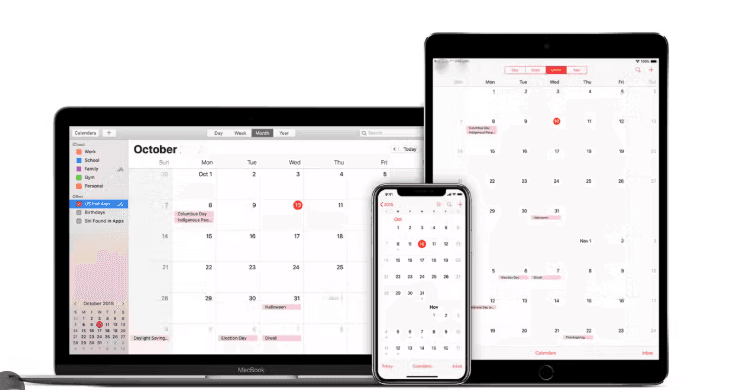
Automate your calendar management
Connect yourang.ai with Apple Calendar to automatically sync all appointments booked over the phone.
Create events automatically
Every appointment booked by phone is automatically added to your Apple Calendar.
Manage availability
Yourang.ai reads your calendar to offer only available slots to customers.
Update existing events
Modify or reschedule existing appointments directly from calls.
Sync across all devices
Events sync instantly on iPhone, iPad, Mac, and Apple Watch.
How to connect yourang.ai to Apple Calendar
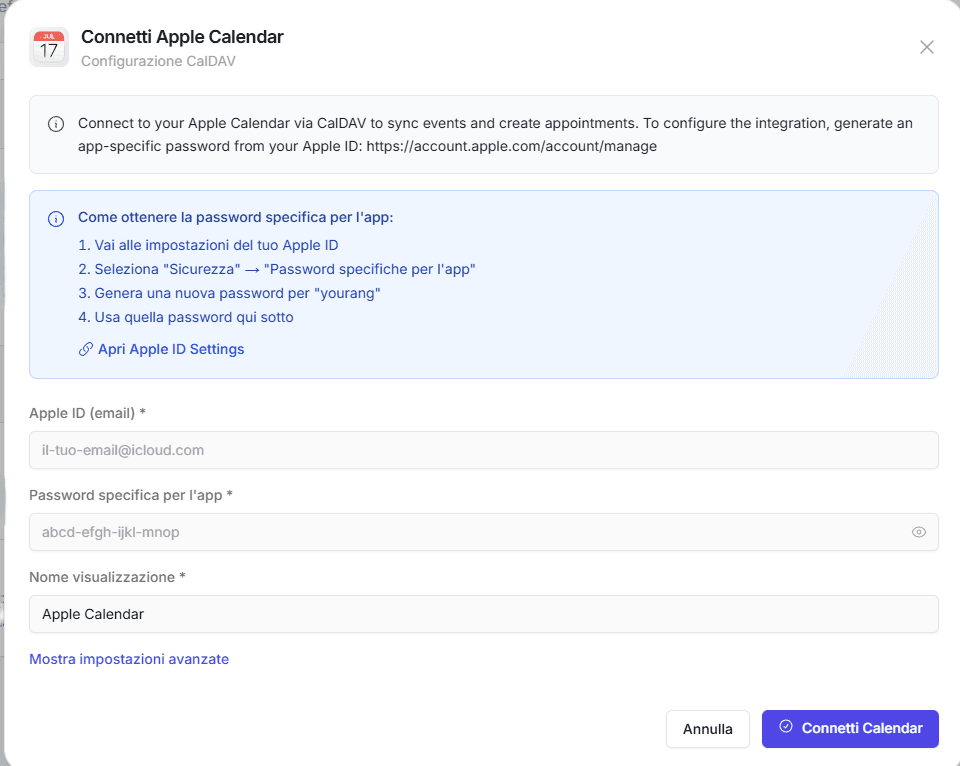
Connect your Apple Calendar account to yourang.ai in a few simple steps. Once configured, the AI can automatically manage your appointments.
- 1Log in to the yourang.ai dashboard and go to Integrations
- 2Select Apple Calendar from the list of available calendars
- 3Generate an app-specific password from your Apple ID
- 4Enter your Apple ID and app password in yourang.ai
- 5Select the calendar to sync
- 6Done! The AI can now manage your appointments
Popular ways to use Apple Calendar
Discover how businesses use our integration to manage appointments.
Automatic appointment booking
When a customer books by phone, the appointment automatically appears in your Apple Calendar with all the details.
Automatic reminders and confirmations
Receive native notifications on all your Apple devices for every new appointment or change.
Multi-staff management
Assign appointments to different calendars for each team member, keeping everything synchronized.
Ready to simplify your schedule?
Connect yourang.ai with Apple Calendar and never miss an appointment again.